Elevate your Outlook 365
meeting rooms with Odoo!
✓ Book room from Outlook, Odoo or room display
✓ See room availability on calendar
✓ Control LED lights color on tablet enclosure
✓ And a lot more !
Empower your users
To book conference rooms directly from within Odoo.
Knowing the room reservation will be kept in sync with Outlook, as well as the reservation tablets in front of the conference rooms.

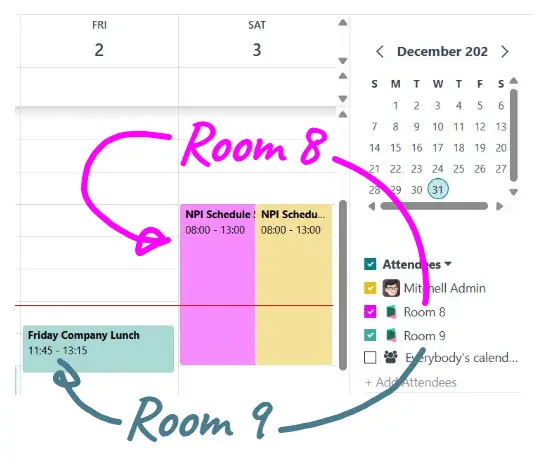
View Room Availability within the Calendar App
Keep your favorite rooms availability at hand
Toggle relevant conference room visibility on/off, to make it easy to schedule your next meeting.
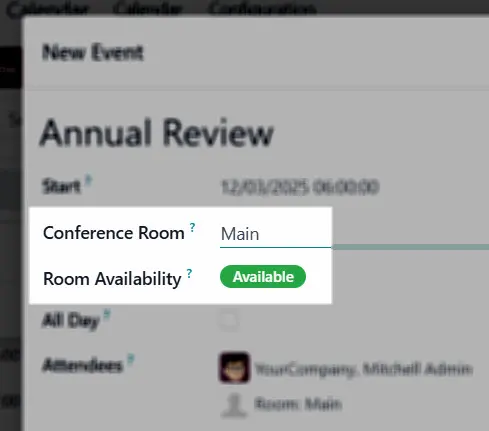
Real-time availability
Have the piece of mind knowing the conference room is indeed available before sending out meeting invites
The room availability is shown within the New-Event pop-up window.
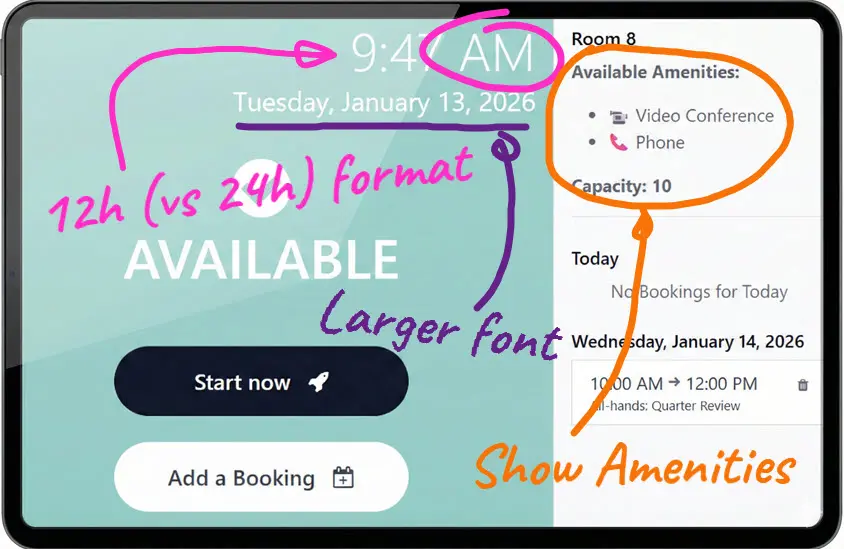
Customizable Tablet Display Format
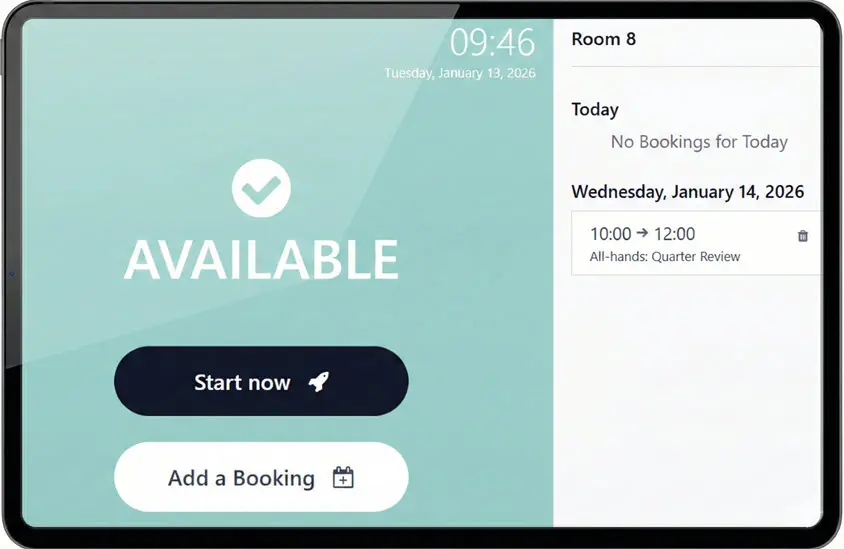
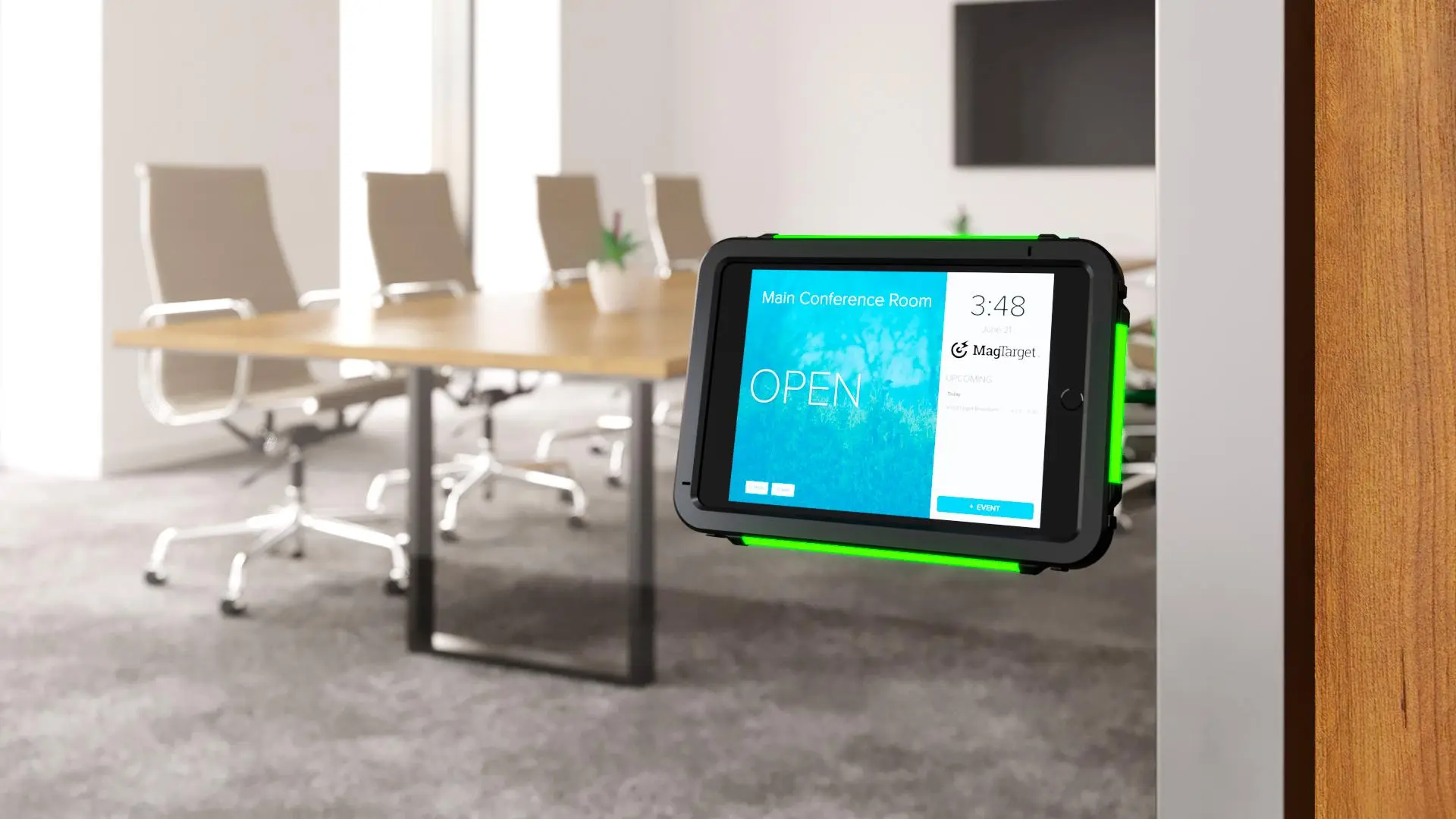
LED Lights Match Room Status
Easily spot which conference room is available by looking down the hall to see which one is green.
For people inside the meeting room, the lights turning green is a reminder that the meeting is over.
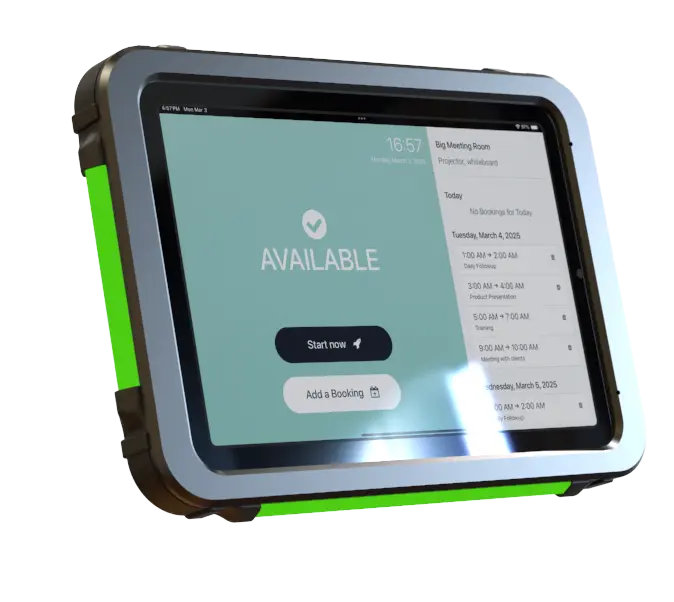
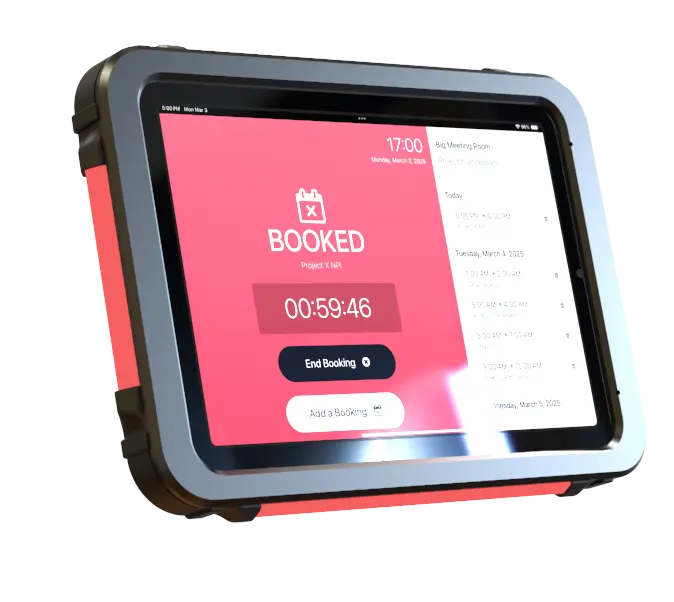
Key Features - Comparison Table
FEATURES | DEFAULT ODOO ROOMS | WITH THIS MODULE |
Room booking dashboard | ✔️ | ✔️ |
Room booking tablet view | ✔️ | ✔️ |
Integrate room booking options into the user calendar | — | ⭐ |
See room availability when creating events from user calendar | — | ✔️ |
Bi-directional room booking sync with Outlook | — | ⭐ |
Display favorite rooms availability on user calendar | — | ✔️ |
Improved Tablet Display | ||
Light colors on physical tablet enclosures match room status (green: free; red: busy) | — | ⭐ |
Show/hide amenities (phone, video, etc.) and room capacity | — | ✔️ |
Choose between 12-hour (AM/PM) and 24-hour time format | — | ✔️ |
Adjust the font size of the time and date to be more visible | — | ✔️ |
Outlook Sync
Give your employees the freedom to book conference rooms from Outlook, Odoo, or the room display tablet.
Status lights
Have the LED lights on the tablet enclosure automatically update based on the meeting room status. Ex: red for occupied and green for available.
See availability
Easily check all conference room availability from the convenience of Odoo. By either looking at the Rooms App or from the calendar view.
OUR CUSTOMERS